You can get started with the basic WordPress information here – https://nkdev.info/docs/wordpress-themes-basic/
Install the Theme
- Go to Appearance → Themes → Add New → Upload Theme and upload
wild-impact.zip. - Activate the theme.
- Install and activate the required plugins from the notice: nK Themes Helper and Ghost Kit Pro. Install the recommended ones you need, for example WooCommerce or CyberPress.
If you plan to change templates or styles, also install and activate wild-impact-child.zip from the full package.
Import a Demo
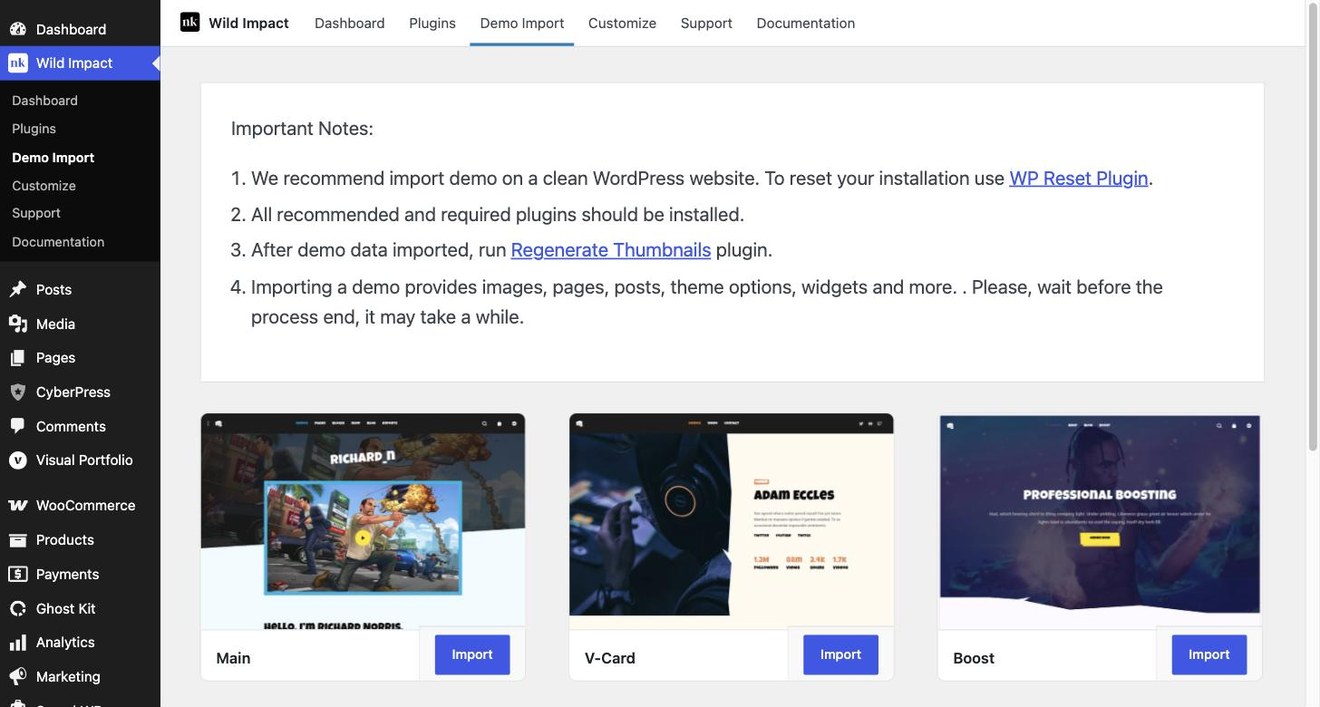
Open Wild Impact → Demo Import, pick a demo and press Import. Pages, posts, products, menus, widgets and Customizer settings are imported for you. We recommend importing a demo on a clean WordPress installation.
Envato Elements subscribers can import demos without a purchase code.